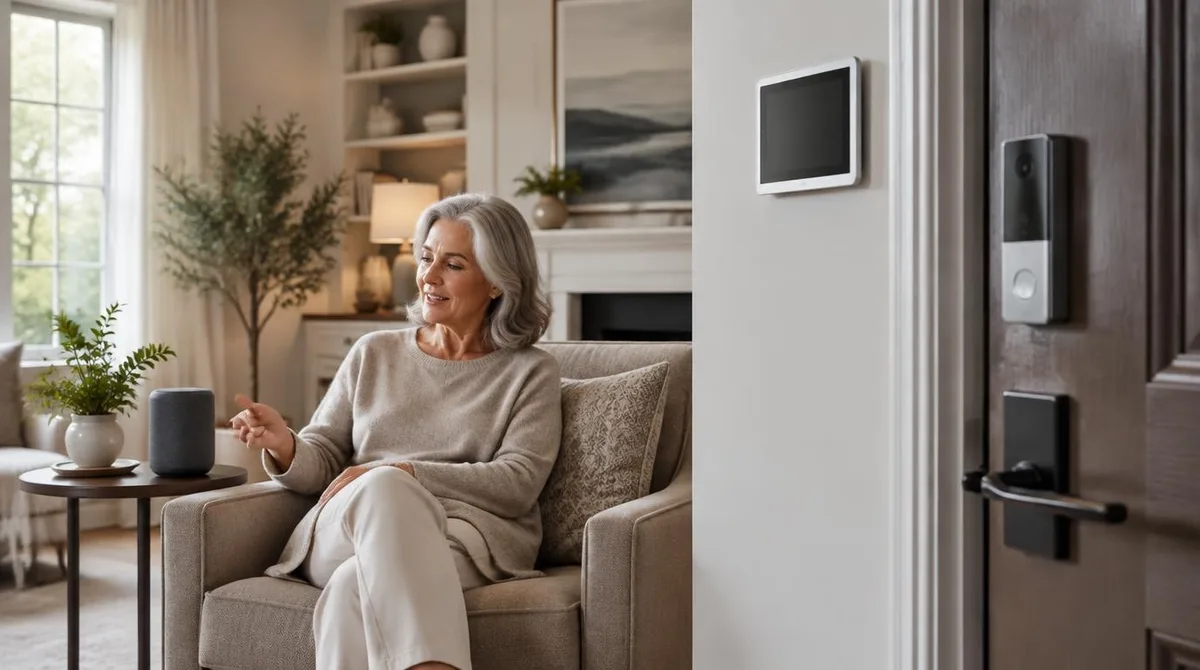
Smart home accessibility works best when it solves one specific problem in your daily routine: a door you can't lock by hand, a light switch you can't reach, or a family member who needs to know you're okay without calling every hour. Voice controls, sensors, and automated locks all do these jobs well, but they earn their price tags unevenly. The hardware is usually worth it; the assistant software is still catching up.
The timing matters. Demand for this technology is growing fast: roughly 11,000 Americans turn 65 each day, and most people over 50 say they want to stay in their own homes, according to AARP figures reported by HousingWire. That same report notes that about 25% of caregivers now use remote monitoring tools such as apps, cameras, or wearables — nearly double the share from five years ago.
Why is smart home tech suddenly central to aging in place?
Because it fills gaps that human caregiving can't. Smart speakers, connected thermostats, and video calling platforms are the simple end. The advanced end includes systems that monitor health and detect changes in behavior. Dr. Jing Wang, dean of the Florida State University College of Nursing, told HousingWire's Reverse Mortgage Daily that the United States is still catching up when it comes to integrating housing, health care, and technology for older adults, and that most adoption happens through retrofits after people already live in the home.
That retrofit reality shapes what's worth buying. You are not wiring a new build. You are adding devices to a house that already works, so the best candidates are ones that install without construction and keep working when Wi-Fi doesn't.
The financing side matters too. HousingWire reports that for many homeowners, especially retirees, home equity is the largest untapped resource, and proceeds from equity-based products can fund smart home systems and accessibility upgrades. That is a decision with real long-term costs, and it deserves its own research before you commit.
Are voice controls and smart displays worth it?
Voice control is the most useful smart home accessibility feature for many people, because it replaces hands-on action with a spoken request: lights, thermostats, timers, calls. The weak link is not the hardware. It is the assistant.
Apple's HomeView display, which arrived November 13 at a starting price of $299, shows both sides of that trade. According to TechRepublic's breakdown of the $299 smart display, the 7-inch device earned praise from early reviewers for its responsive smart-home controls, sharp display, and strong audio — while Siri AI drew criticism for inconsistent performance on complicated requests, and reviewers noted a limited app selection.
The privacy picture on shared screens is also worth weighing. TechRepublic reports that HomeView recognizes up to six household members and displays personal information such as messages and calendars, and that The Verge's reviewer reported being able to scroll through her daughter's messages on the daughter's profile even after the device recognized her. A 9to5Mac reviewer had the opposite experience, with the device blocking him from his wife's messages. Neither report establishes a widespread vulnerability, but both suggest you should test how profiles behave in your own household before trusting one with private content.
One more cost detail from the same reporting: the wall-mounted HomeView requires a separate mounting and power solution, and compatible Schneider Home mounts start at $59.95, bringing the minimum setup to $358.95 before installation. If a screen on the wall is the point — a fixed, glanceable control panel rather than another gadget on the counter — budget for that total, not the headline price.
Our analysis: buy the display for the controls and the screen, not for the assistant. If voice commands are your main need, a speaker without a screen usually does the same job for less money.
What do sensors and remote monitoring actually do?
Sensors answer a question families ask constantly: is everything okay in there? Motion sensors, door sensors, and cameras let a caregiver check remotely without intruding. Smart pill dispensers add medication prompts to the same picture.
The clearest example comes from the HousingWire report on aging in place, which describes Dr. Megan Jack, a Cleveland neurosurgeon, using a smart pill dispenser, app-controlled television, digital messaging systems, and monitoring cameras to support her 76-year-old mother, who has Alzheimer's and lives in a separate unit on her property. Her framing is the honest one: the setup lets her confirm safety while, in her words, giving her mother "the independence and the freedom that she still deserves."
Worth it, with one condition: the person being monitored should agree to it and know what's visible. A camera in a shared room chosen together is support. A camera placed without consent is something else entirely, and it damages trust in ways no device can repair.
Artificial intelligence is extending what these systems notice — subtle changes in speech or movement, prompts about medications or daily routines, per the New York Times reporting HousingWire cites. Treat those capabilities as promising but unproven in your own home. Start with the simple sensors that report facts, and add the clever ones later if you still need them.
Are automated locks worth it?
For many households, yes — and they may be the highest-value item on this list. An automated lock removes a daily physical task that arthritis, limited grip, or wheelchair position can make difficult, and it lets a trusted family member unlock the door remotely for a caregiver or delivery.
The trade-offs are practical, not technical. Keypad codes avoid the lost-key problem. Battery-powered locks need a battery routine, so put battery checks on a calendar the whole household shares. And think through the failure mode: know how the door is opened if the lock's battery dies or the app is down. A lock that only works when the internet does is not an accessibility improvement.
Locks also pair well with the wider door-access picture. If getting through the doorway itself is the harder problem, our guide to automatic door openers and smart locks at home covers how the two work together, and doorway widening: what your contractor should know covers the opening the hardware sits in.
Practical steps: how to decide what your home needs
Start with the routine, not the catalog. Walk through a normal day and mark every moment where a task is hard, slow, or risky. Then match the cheapest reliable fix to each one.
- List the friction points. Lights, locks, thermostat, medication, communication, fall worry. Rank them by how often they occur.
- Fix the frequent ones with simple devices first. A smart bulb and a speaker cost little and solve the light-switch problem outright.
- Check the ecosystem before buying hardware. Devices that speak the same platform standard work together; mixing incompatible systems is the most common regret.
- Plan for power and internet failures. Every device should have a manual fallback. This matters most for locks and any equipment tied to health needs — our backup power planning for home medical equipment guide covers that side in depth.
- Test privacy settings with the whole household. As the HomeView reporting shows, shared-screen devices can leak personal content between profiles. Set profiles deliberately, then check them.
- Budget honestly. Include mounts, hubs, and installation, not just device prices. The $299 display that becomes a $358.95 project is the pattern, not the exception.
Bigger modifications still do work technology can't. A grab bar never needs a firmware update, and a roll-in shower works during a power outage. If you are weighing where a limited budget goes first, our overview of home modifications that make daily living safer and more accessible puts the construction projects and the tech in one frame. We covered a connected angle in Home Modifications That Make Daily Living Safer and More Accessible.
What this means for your budget
Spend on the devices that remove a daily physical task or answer a daily safety question: locks, lights, sensors, and the screen or speaker that controls them. Be skeptical of the assistant layer — the reviews of the newest hardware show the software still lags the hardware. And treat monitoring as a family agreement, not a purchase. The technology is getting better every quarter; the household conversation about who sees what is the part only you can do.